
The required account verification documents depend on where your CMRA operator or virtual office service provider is located.
If they are based in the United States, you'll be required to provide the following:
- USPS Form 1583
- Photo ID
- Address ID
Note: if they are based in the state of California, you'll be required to sign and provide the following document as well:
If they are based anywhere else, you'll be required to provide:
- Photo ID
- Utility Bill
- Other/Additional documents as per each service provider's requirements.
If you already have a notarized and signed USPS 1583 Form, you can upload a copy of the document to your account by following the steps below:
- Click on the "My Account" option on the top right of the screen.
- Under the "Account" tab, find the section titled "You provided".
- Click on the upload button next to "USPS Form 1583".
- Upload the Photo and Address IDs used when notarizing your USPS 1583 Form.
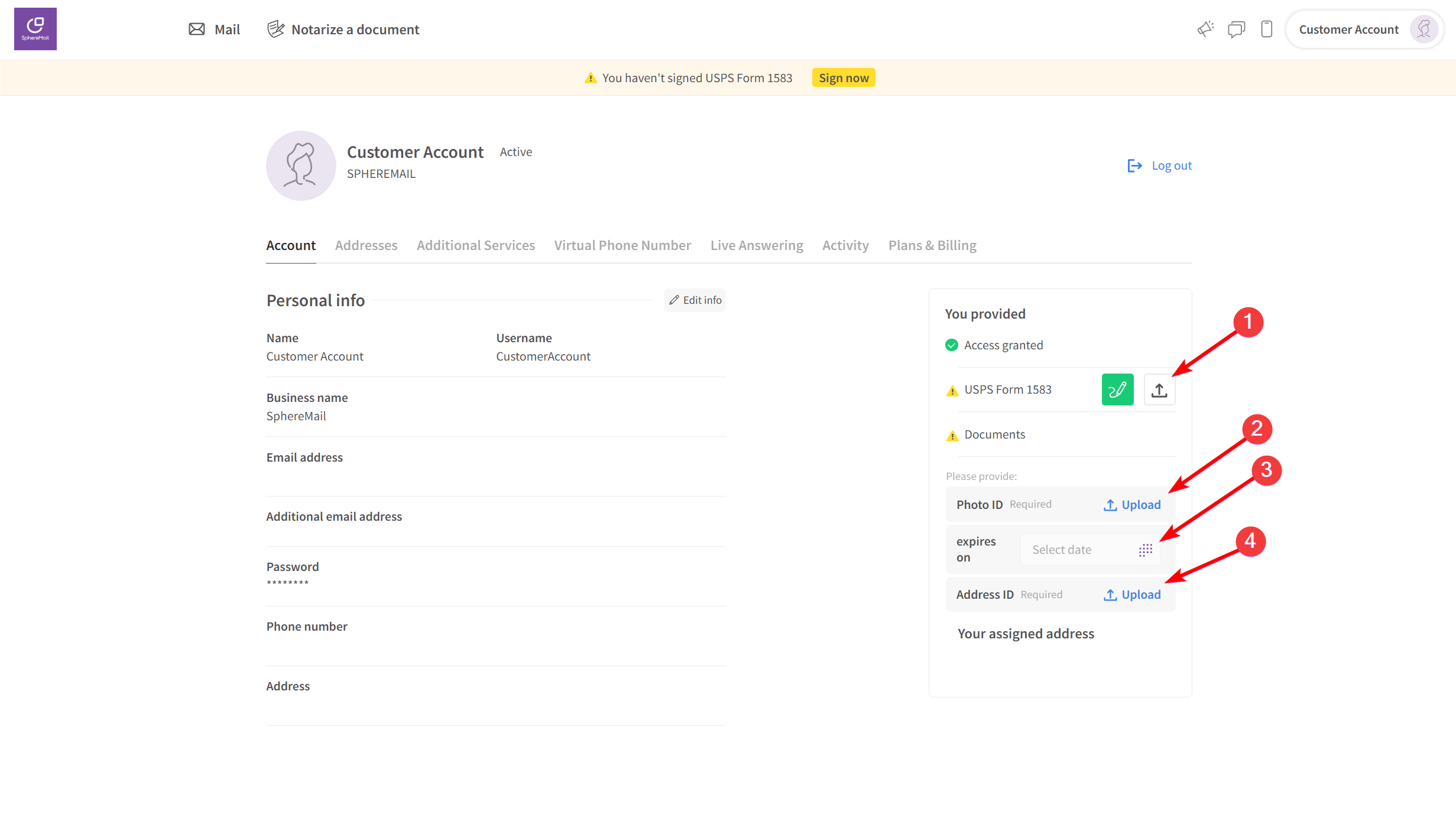
Once all the documents are uploaded, your mail operator will be notified to review and approve them if no changes are required.
Note: if you fill out and notarize your USPS Form 1583 via SphereMail, then you do not need to manually upload any of your documents. They will be automatically uploaded by our system as soon as your notary session is completed successfully.